
Quality Risk Management (QRM) Reporting Instructions
There have been some changes and updates to our QRM reporting system in Surge. To access the system go to: https://www2.surgelearning.ca/auth/login. The links in iLinks will be updated later this week.
The video below will walk you through how to use the updated system. Written instructions can be found under the video.
Quality Risk Management (QRM) Reporting Instructions
1. Sign into Surge
If you need assistance with your username or password, contact the People & Culture team. NEW URL: https://www2.surgelearning.ca/auth/login
2. Access QRM
Expand the Menu from the right side of the screen.
- Click on

- And then select

3. Choose the appropriate form
Select the type of report you would like to complete
- Incident report – For incidents or concerns involving staff, students, visitors, or contractors. Example: You observe/are involved in a conflict
- Employee Incident Investigation Report: When a staff member is exposed to harm. Example: You sprained your arm while providing care.
- Near Miss: Incidents that took place but did not result in harm
Example: A staff member almost tripped but avoids falling. - Workplace Hazard Form: Hazards such as clutter, tripping risks, pets, etc.
- If RESIDENT is involved: Please complete a witness statement on paper and inform the nurse, who will then complete the Risk Management documentation in PCC.
Select 
Then click on 
4. Complete the Report
5. Submit the Report by clicking on 
6. THEN click on 
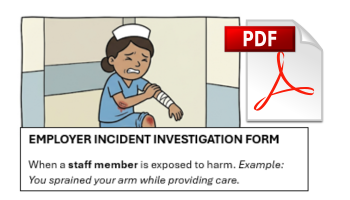
Click here to download A Guide To Workplace Safety & Incident Reporting – LTC